Firmware-update - Synology DSM 7.4.1 build 90080
 Synology heeft versie 7.4.1 van Disk Station Manager uitgebracht. Synology DSM is de beheersoftware die op diverse nasproducten van het bedrijf draait. De Disk en Rack Stations bieden meer dan alleen extra opslagruimte. Zo kunnen er extra pakketten worden geïnstalleerd om het apparaat bijvoorbeeld ook als mediaserver, home-automationserver, webserver, printserver of back-upserver te laten functioneren. De mogelijkheden zijn eindeloos. Sinds versie 7.3 is het niet langer verplicht om schijven van Synology zelf in de nieuwere modellen te gebruiken. In deze uitgave zijn de volgende twee problemen verholpen:
Important Note
- After installing this update, you will not be able to downgrade to a previous DSM version.
- This update will restart your Synology NAS.
- If auto update does not run, perform a manual update in Control Panel. Before updating, follow the instructions and complete the required actions to ensure success.
- To uphold our commitment to quality, every DSM release undergoes rigorous validation. To ensure optimal stability, the models listed below will not receive this update on your device and will remain on their most suitable version. You can only download the upgrade patch from Synology Download Center because you won't receive notifications for this update on your DSM.
- FS Series: FS3017, FS2017, FS1018
- XS Series: RS18016xs+, RS4017xs+, RS3617xs+, RS3617xs, RS3617RPxs, RS18017xs+, DS3617xs, DS3617xsII, DS3018xs
- Plus Series: RS2416RP+, RS2416+, DS916+, DS716+II, DS716+, DS216+II, DS216+, DS1817+, DS1517+, RS2818RP+, RS2418RP+, RS2418+, RS818RP+, RS818+, DS1618+, DS918+, DS718+, DS218+, RS1219+
- Value Series: DS116, DS216, DS216play, DS416, DS416play, DS1517, DS1817, DS418play, RS217, RS816
- J Series: DS216j, DS416j, DS416slim, DS419slim, DS418j, DS218j, DS119j
Enhanced KMIP certificate handling to comply with updated certificate issuance policies for public certificate authorities (CAs). KMIP client authentication now requires certificates issued by a private CA. Synology default certificates, the QuickConnect certificate, and certificates issued by public CAs (e.g., Let's Encrypt, SSL.com, and Sectigo) are not supported for KMIP client authentication. For detailed configuration instructions, refer to this article. Compatibility & InstallationFixed Issues
- To ensure compatibility, the following packages will be automatically updated or will require a manual update to a compatible version: SnapshotReplication.
- Fixed an issue where a USB UPS could not be recognized after updating to DSM 7.4.
- Fixed an issue where USB devices could not be used on certain models after updating to DSM 7.4.
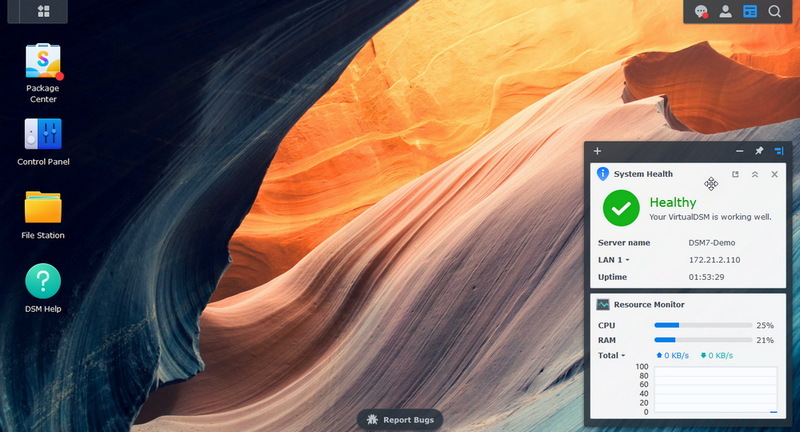
| Versienummer | 7.4.1 build 90080 |
| Releasestatus | Final |
| Website | Synology |
| Download | https://www.synology.com/nl-nl/support/download |
| Licentietype | Freeware |

Door Bart van Klaveren
Downloads en Best Buy Guide
Feedback • 23-07-2026 18:0022 • submitter: ddahles
Update-historie
Lees meer
:strip_exif()/i/2007621782.png?f=thumbmedium)
:strip_exif()/i/2005982346.png?f=thumbmedium)
:strip_exif()/i/2007459718.png?f=thumbmedium)
:fill(white):strip_exif()/i/2005627336.jpeg?f=thumbmedium)
:strip_exif()/i/2005938898.png?f=thumbmedium)
:fill(white):strip_exif()/i/2005466618.jpeg?f=thumbmedium)
:fill(white):strip_exif()/i/2007622688.jpeg?f=thumbmedium)
:strip_exif()/i/2006012412.png?f=thumbmedium)
:fill(white):strip_exif()/i/2003565362.jpeg?f=thumbmedium)
:fill(white):strip_exif()/i/2003424900.jpeg?f=thumbmedium)
:fill(white):strip_exif()/i/2003565400.jpeg?f=thumbmedium)
:strip_exif()/i/2001660049.png?f=thumbmedium)
:strip_exif()/i/2001749789.png?f=thumbmedium)
:fill(white):strip_exif()/i/2003565388.jpeg?f=thumbmedium)
:strip_exif()/i/2005678090.png?f=thumbmedium)
:fill(white):strip_exif()/i/2005571242.jpeg?f=thumbmedium)
:fill(white):strip_exif()/i/2001698443.jpeg?f=thumbmedium)
:fill(white):strip_exif()/i/2003261416.jpeg?f=thumbmedium)
:fill(white):strip_exif()/i/2007545202.jpeg?f=thumbmedium)
:fill(white):strip_exif()/i/2003565374.jpeg?f=thumbmedium)
:fill(white):strip_exif()/i/2001660105.jpeg?f=thumbmedium)
:fill(white):strip_exif()/i/2005773332.jpeg?f=thumbmedium)
Reacties (22)
[Reactie gewijzigd door Pierre_nr1 op 23 juli 2026 20:11]
Update : verbinden met UDP werkt wel, TCP niet.
[Reactie gewijzigd door Pierre_nr1 op 23 juli 2026 21:20]
:strip_icc():strip_exif()/u/820877/crop601f2339b965c_cropped.jpeg?f=community)
UDP connectie werkt wel.
"NordVPN wants to provide the best browsing experience without compromising on speed, so we use the UDP protocol by default. We recommend trying the UDP protocol first and only switching to TCP if you experience any issues."
https://nordvpn.com/blog/tcp-or-udp-which-is-better/
[Reactie gewijzigd door HSG op 23 juli 2026 23:40]
Update : verbinden met UDP werkt wel, TCP niet.
[Reactie gewijzigd door Pierre_nr1 op 23 juli 2026 21:21]
Apart maar werkt bij mij
:strip_icc():strip_exif()/u/290721/snes%2520wifi%2520-%2520kopie.jpg?f=community)
Compatibility & InstallationFixed Issues
- To ensure compatibility, the following packages will be automatically updated or will require a manual update to a compatible version: SnapshotReplication.
- Fixed an issue where a USB UPS could not be recognized after updating to DSM 7.4.
- Fixed an issue where USB devices could not be used on certain models after updating to DSM 7.4.
:strip_icc():strip_exif()/u/12330/dnangel_70.jpg?f=community)
Om te kunnen reageren moet je ingelogd zijn