Software-update - Obsidian 1.13.6
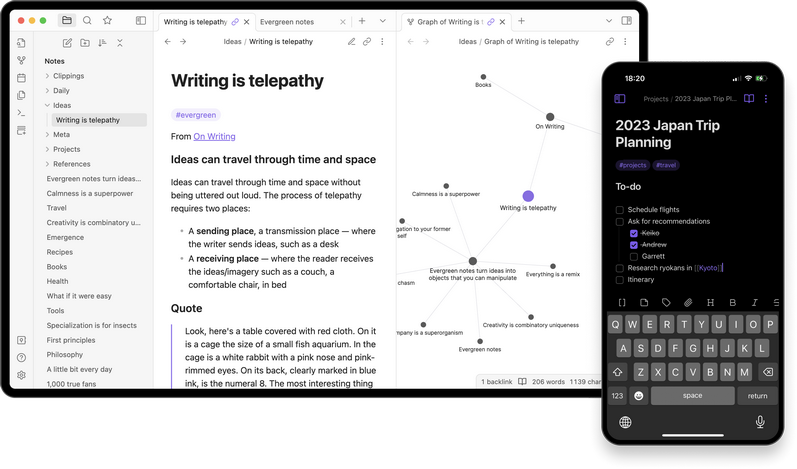
 Versie 1.13.6 van Obsidian is uitgekomen. Obsidian is een applicatie voor het maken van notities en is beschikbaar voor Android, iOS, Windows, Linux en macOS. Notities worden lokaal in Markdown opgeslagen, waardoor je altijd baas over je eigen data bent en deze eenvoudig naar een ander platform is te converteren. Het programma is uiterst aanpasbaar met honderden plug-ins en gratis te gebruiken, maar voor commercieel gebruik of bepaalde functionaliteit, zoals end-to-endversleuteling of versiecontrole, wordt wel een vergoeding gevraagd. De changelog voor deze uitgave ziet er als volgt uit:
ImprovementsSettings
- The app now waits for configuration files to finish saving when quitting to avoid the file getting corrupted.
- Improved "Undo close tab" behavior. Tabs now reopen in the correct tab group, and if the currently active tab is the "New tab" page, it will no longer be reused.
- Removed dialog to approve URI actions because it was creating even more confusion for non-technical users. 1.13 already introduced some new guardrails like Mermaid diagrams being off by default.
No longer broken
- The settings window now closes when pressing
Escape.TabandShift-Tabnow move focus to the next focusable element instead of staying locked to the current row, making it easier to navigate to links.- When Obsidian is fullscreen, the settings window now opens on top of the app window instead of creating an additional fullscreen window.
- The settings window titlebar now scales with the current zoom level.
- Sliders in settings now use the accent color.
- The startup stats window now shows more granular information about startup speed.
- Fixed font selection page crashing on Linux (requires latest installer).
Compatibility with latest installer
- Fixed a few issues with link suggestions in the property editor. For example, typing
#in a link would cause the link to get overridden.- Fixed the window not getting focused when using a URI to open a specific vault.
- Fixed internal links displayed inside the readme file for themes and plugins.
- Fixed dragging links out of an embedded Base (e.g.
![[file.base]]) linking to the Base file and not the file you're dragging.- Settings: Fixed validation errors not disappearing after the issue was fixed.
- Settings: Fixed settings crashing when navigating quickly between pages while the page is still animating.
- Settings: Fixed right-click menu on the community plugins setting tab showing duplicate results.
- Settings: Fixed bug where pressing the back button on a settings page would not always focus the setting item that opened the page.
- Live Preview: The "Delete image" context menu item no longer appears when the image has already been deleted from the vault.
- Live Preview: Fixed image not opening full screen if it contains a URL hash suffix (
#).- Live Preview: Fixed memory leak caused by reordering rows or columns in a Markdown table.
- Live Preview: Restored old behavior of embedded YouTube and Twitter links; they no longer have a selection state or an overlayed edit button.
Developers
- Fixed zoom level getting reset after reloading the window.
- Fixed vaults on network drives not working.
- Fixed devtools not opening correctly when using the Web viewer plugin.
- The installer has been updated to use Electron v43.3.0. To upgrade, install visit the Obsidian download page and reinstall Obsidian.
- API: Added
SettingDefinitionBase#disabled.
| Versienummer | 1.13.6 |
| Releasestatus | Final |
| Besturingssystemen | Android, Linux, macOS, iOS, Windows 10, Windows 11 |
| Website | Obsidian |
| Download | https://obsidian.md/download |
| Licentietype | Freeware/Betaald |

Door Bart van Klaveren
Downloads en Best Buy Guide
Feedback • 11-08-2026 13:3011 • submitter: danmark_ori
Update-historie
| 11-08 | Obsidian 1.13.6 | 11 |
| 30-07 | Obsidian 1.13.4 | 14 |
| 24-03 | Obsidian 1.12.7 | 13 |
| 28-02 | Obsidian 1.12.4 | 9 |
| 09-02 | Obsidian 1.11.7 | 9 |
| 21-01 | Obsidian 1.11.5 | 4 |
| 12-01 | Obsidian 1.11.4 | 8 |
| 25-11 | Obsidian 1.10.6 | 19 |
| 17-11 | Obsidian 1.10.3 | 14 |
| 10-'25 | Obsidian 1.9.14 | 7 |
Lees meer
:strip_exif()/i/2005760768.png?f=thumbmedium)
Reacties (11)
De structuur die obsidian biedt is natuurlijk in de eerste plaats de hierarchische van het filesysteem dat je toch al gebruikt.
Daarnaast kan ze best goed met tags om gaan ( #keyword, zonder spatie tussen# en het keyword)
En er zijn de cros-links tussen de pagina's waardoor je helemaal geen hieratchie hoeft te gebruiken (of daar overheen stappen)
En dat je gewoon met stylen kan werken volgens de md-standaard.
Het mooie is dus eigenlijk dat er vanzelf een structuur ontstaat, als je ze maar weet te vinden en /of aan te geven.
Natuurlijk stuurt obsidian ook in dat het scherm niet altijd belachelijk groot is en dat je dus de inhoud een beetje moet brperken en al snel gewoon een nieuwe note maakt.
Ik ben nooit echt goed georganiseerd geweest, maar ik hoop dat dit een goed begin is.
Eigenlijk is er precies gebeurd wat @beerse zegt. Het is echt vanzelf ontstaan. Ik heb wat opgeschreven en uiteindelijk stop ik het in een mapje
[Reactie gewijzigd door InfiniteSpaze op 12 augustus 2026 10:44]
/u/271228/crop66d5c43884a5a_cropped.png?f=community)

/u/341812/crop6a4c5b6b221a9_cropped.png?f=community)
/u/2008130/crop6536ebba0daf2_cropped.png?f=community)
Maar dat vind ik ook het mooie aan Obsidian, het dringt je geen methodologie op. Je kan gewoon aankloten zoals ik of helemaal over the top gaan met zettlkasten, hij vindt het allemaal goed.
De search vind ik wel een groot minpunt trouwens. Hij vindt altijd eerst de dingen die er helemaal niks mee te maken hebben. Maar ge-embed in een lokale AI met RAG gaat het al een stuk beter.
Ik haat tools die je naast het gereedschap ook een werkwijze proberen op te dringen (opinionated software) maar Obsidian is dat zeker niet, ook door de enorme bibliotheek van plugins.
[Reactie gewijzigd door Llopigat op 11 augustus 2026 17:54]
Om te kunnen reageren moet je ingelogd zijn